


When it comes to selecting a printer, whether for personal use, a small business, or a large enterprise, the process can be quite daunting. With a plethora of options available in the market, each boasting different features, capabilities, and price points, it's crucial to make an informed decision. As a reputable printer supplier, we understand the complexities involved in this decision-making process and are here to guide you through the key factors to consider when choosing a printer.

1. Determine Your Printing Needs
The first step in choosing a printer is to clearly define your printing requirements. Consider the following aspects:
Volume of Printing
If you have a high volume of printing, such as several hundred pages per day, a laser printer might be more suitable. Laser printers are designed for high-speed and high-volume printing, making them ideal for offices or businesses with heavy printing needs. On the other hand, if you only print occasionally, an inkjet printer could be a cost - effective option.
Type of Printing
- Text - Only Printing: For documents with mostly text, a monochrome (black and white) printer will suffice. Monochrome printers are generally more affordable and have lower running costs than color printers.
- Color Printing: If you need to print photos, marketing materials, or presentations with vivid colors, a color printer is essential. Inkjet printers are known for producing high - quality color prints, while laser printers can also handle color printing, although they may be a bit more expensive.
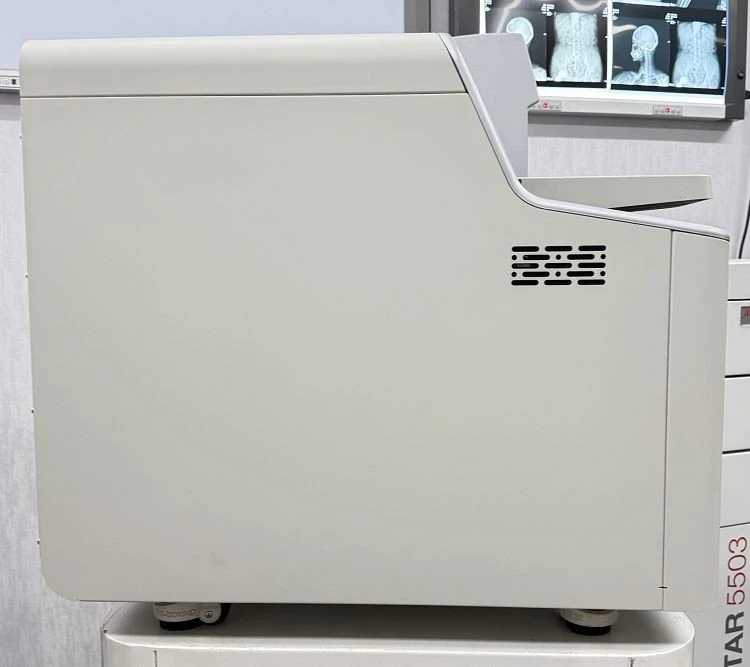
- Specialty Printing: Some industries require specialized printing, such as Medical Thermal Printer for medical facilities, Dry Laser Imager for imaging departments, and MRI Printer for magnetic resonance imaging centers.
2. Assess the Printer's Quality
Print quality is a significant factor, especially if you're printing important documents, photos, or marketing materials.
Resolution
Resolution is measured in dots per inch (dpi). A higher dpi means more dots are printed per inch, resulting in a sharper and more detailed image. For photo printing, a resolution of at least 300 dpi is recommended. For general text documents, a lower resolution may be acceptable.
Color Accuracy
If color printing is important, pay attention to the printer's color accuracy. Some printers may have a tendency to produce colors that are slightly off - tone. You can check reviews or ask for samples to evaluate the color quality.
Print Consistency
The printer should be able to produce consistent prints over time. Inconsistent prints can be a sign of poor quality or mechanical issues.
3. Consider the Cost
Cost is an important consideration when choosing a printer. It's not just about the initial purchase price but also the ongoing costs.
Initial Purchase Price
Printers come in a wide range of prices. Inkjet printers are generally more affordable upfront, making them a good choice for home users or small businesses on a budget. Laser printers, especially color laser printers, can be more expensive initially but may offer lower cost per page in the long run.
Running Costs
- Ink or Toner: Ink cartridges can be relatively expensive, and you may need to replace them frequently, especially if you're doing a lot of color printing. Toner cartridges for laser printers are more expensive to replace but can print more pages before needing replacement.
- Paper: The cost of paper can also add up, especially if you're using specialty paper for photo printing or high - quality documents.
4. Evaluate the Printer's Connectivity
In today's digital age, connectivity options are crucial.
Wi - Fi
Wi - Fi connectivity allows you to print wirelessly from your smartphone, tablet, or laptop. This is convenient for home users and small offices, as you can print from anywhere within the Wi - Fi network range.
Bluetooth
Bluetooth connectivity enables you to print directly from your mobile device without the need for a Wi - Fi network. This is useful for on - the - go printing.
USB
USB connectivity is a traditional option that allows you to connect your printer directly to your computer. It's a reliable option, especially for older computers or when you need a direct connection.
Ethernet
Ethernet connectivity is ideal for office environments, as it allows multiple users to connect to the printer over a local area network (LAN).
5. Look at the Printer's Size and Design
The size and design of the printer can also be important, especially if you have limited space.
Compactness
For home offices or small workspaces, a compact printer is a better choice. Look for printers that are designed to take up less desk or floor space.
Aesthetics
The design of the printer should also complement your workspace. Some printers have sleek and modern designs, while others may be more bulky and traditional.
6. Research the Manufacturer's Reputation
The reputation of the printer manufacturer is an important factor to consider.
Reliability
A reliable manufacturer is more likely to produce printers that are durable and less prone to breakdowns. Look for reviews and ratings from other users to get an idea of the manufacturer's reliability.
Customer Support
Good customer support is essential in case you encounter any problems with your printer. Check if the manufacturer offers online support, phone support, or in - person service.
7. Read Reviews and Compare Models
Before making a final decision, it's a good idea to read reviews from other users and compare different printer models.
Online Reviews
There are many websites that offer reviews and comparisons of different printers. Reading these reviews can give you an idea of the pros and cons of each model.
Comparison Websites
Comparison websites allow you to compare the features, prices, and customer ratings of different printers side by side. This can help you make a more informed decision.
In conclusion, choosing the right printer requires careful consideration of your printing needs, print quality, cost, connectivity, size, manufacturer's reputation, and user reviews. As a printer supplier, we are committed to helping you find the perfect printer for your requirements. If you're interested in exploring our range of printers or have any questions about printer selection, we invite you to reach out to us for a procurement discussion. We'll be happy to assist you in making the best choice for your business or personal use.
References
- Various printer manufacturer websites for product specifications
- Tech review websites offering user reviews and comparisons of printers